
 CNC
CNC






Новая версия World Builder от команды энтузиастов для игры - Generals Zero Hour. Стабильно работает на Windows 10 и 11, в отличии от родного редактора.
World Builder - это программа, которая поможет вам создание карты для игр серии - Generals и Generals Zero Hour. Простенькие карты, карты миссии, кооперативные карты и так далее.
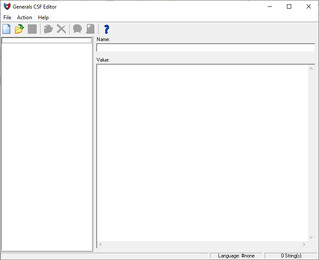
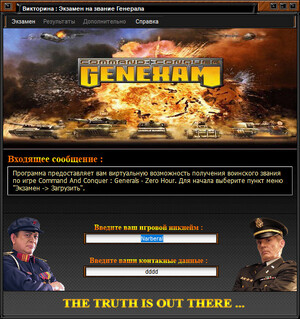
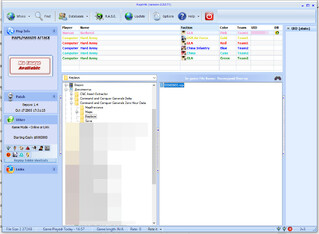
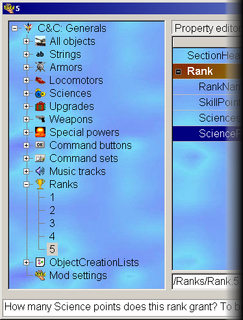
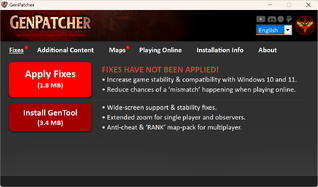
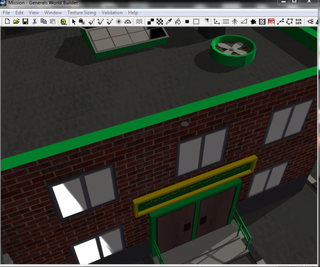
Скриншоты


История изменений (на английском)
== Build List Tool Updates ==
[New Features]
General Enhancements / UI
- One-time EULA now implemented
- Main World Builder window is now resizable
- Maximize to native resolution available
- New 1280x768 resolution toggle option
- Auto-hide panel feature added
- Added separate guide panel for hotkey list
- FPS increased to 3 folds
- Models with secondary model draw now render properly
- Show Water Mesh option added
- Object Label position fixed
- Fixed panel position saving logic
- Added label for user-defined object names in world view
- Added label for area points in world view
- Removed constant highlight color when object is selected
- You can now disable object icons and also rotate the object
- Disabled ambient light influence on entity icon colors
- New Entity Icon Presets
- Customizable Entity Icon Color Presets
- Added ruler grid guide
- Added option to remove road texture
Script Editor Improvements
- Edit Condition dialog now supports help text (notes/information about the script)
- Edit Action dialog now supports help text (notes/information about the script)
- Added search bar for Scripts
- Added Compress Option under Script Dialog
- Added Compress Option for Edit Condition
- Added Compress Option for Edit Action
- Added New Icons Option for Script Dialog
- Added search bar for Edit Action
- Added search bar for Edit Condition
- Player0 to 7 are now added by default and no longer trigger script warnings
- Faster loading time
Object & Selection Tools
- Add Object List dialog now supports input field
- Replace Unit dialog now supports a Skip feature
- Added Object finder function
- Added Waypoint finder function
Fence Tool Enhancements
- Fence Options now support all objects, including non-fence types
- Added search bar for Fence Options
- Added object preview support to Fence Options
- Increased frame rate for ghost preview
Rotation & Movement Tools
- Added support for Lock Angle in rotation mode
- Offset support added for copy-paste (fixes road copy-paste alignment)
Grove Tool Updates
- New support for Grove Sets (each set can have a unique tree group)
- Grove Sets support internal saving
Testing Tools
- Jump to Game: Launch game directly from World Builder to test maps
- Jump to Game without debugging option added
- Jump to Game with Water Editor added
Water Editor == (requires modified EXE to function)
- Undo system added for WaterEditor
Boundary Tool
- Boundary visuals now align with terrain and water
- Boundary undo logic added
- Boundary validation for overlaps
Tile Tool Updates
- Copy mode now supports rotation
- Favorite tile save feature added
- Fixed DirectX 8 index and vertex buffer error
- Increased max terrain slider height from 50 → 300
- Increased max terrain slider negative height from -50 → -100
- Adjusted default values for brush width and height in Brush Tool
- Increased default ramp width from 20 → 50
Grove Tool Improvements
- Added 5 more tree slots
- Props option added
- Fixed cliff check logic
- Customizable tree icon color for entity icons
Road Tool Enhancements
- Custom snapping distance option added
== Build List Tool Updates ==
- Objects can now be force-displayed even when tool is not up
- Ghost preview frame rate increased
- Rotation preview support added
Object Tool Enhancements
- Bad build location feedback option
- Ambient sound preview support
- Water height alignment
- Bridge height alignment
- Pointer Diagnostics
Dialogs & Editors
- PickUnitDialog now supports object preview and search bar
- MoldsTool: Open Folder option and link to YouTube tutorial added
[Bug Fixes]
UI & Window Fixes
- Fixed resolution scaling when the window is maximized
Script Fixes
- Fixed bug where extra spaces appeared in command button text
Team Dialog
- Fixed issue where Move Up/Down in Teams required multiple clicks
- Fixed issue with Teams dialog not loading properly
- Shrink button
- New order of columns
Object Tool Fixes
- Fixed bug where multiselected objects inherit somebody elses name by accident
- Eased the lag caused by object selection options
- Entity object icons no longer render outside the camera
- Fixed show shadow button
Grove Tool Fixes
- Fixed bug where Grove Tool placed multiple trees in tiny drag box — now places only one if the box is too small
- Disabled crash assert on Grove Tool
- Trees are no longer visible when models are disabled
Water Tool Fixes
- Fixed deselection bug with Water Tool
- Water markers now also displayed when Water Tool is active
Road Tool Fixes
- Fixed ROADS_ONLY select hotkey
Object Tool
- Tree model preview fixed
b0c2e7d
New Features and Fixes
== System ==
== System ==
- Increased W3D shadow buffer size (prevents the shadow crash bug)
- Autosave bug fixed, with added hints before save for clarity
- Using the Shift key when selecting units no longer deselects already-selected units
Tool Changes
- Tile tool Fixed bug when switching tile modes
- Waypoints tool now have seed-based coloring for better visual distinction
- Terrain material tool user settings are now saved properly
- Fence tool Ctrl key no longer deselects the tool
Team Builder Improvements
- Improved logic for loading units
- Fixed issue where selection would jump or jolt upward
Script Editor Improvements
- Faster loading of the scripts with caching system
- New icons for deactivated scripts and warnings
- "Even faster load" option added cause why the fuck not x4 the processing speeed
- Added "Re-Verify" button (in case cached data fails)
TODO:
- add an semi intrusive way to make the user to read the fuckin tool tips
XXX
System
- Non Blocking Toast commit
- Camera initilization bug fixed
Trigger Tool
- Additional predefined inner and outer perimeters + combatzone in dropdown list
Script Editor Improvements
- Export teams now optional
- Copy folder options added
======================================================
== System ==
== System ==
- New Tracing Overlay Feature
- Proper models for collapsed buildings
- New status labels
- Edit parameter screen now have an auto preview toggle for the preview sound
Pointer Tool
- Group based rotation option
- Group rotation with object alignment options
- Group rotation Pivot options
Script Editor
- Fixed script condition label bug when using copy
- Deleting conditions now selects the previous item instead of resetting to the first
======================================================
== System ==
== System ==
- You can now drag and drop maps directly onto WorldBuilder.
- Added custom config profile loader (used with groveset.ini).
Grove Tool
- Fixed several bugs in the save logic
- You can now export and share your grovesets.
- Editing settings no longer requires a full WorldBuilder reload.
- Maximum readable sets increased to 20.
- Added preset config — just edit it as needed.
- Added options to disable props.
Script Editor
- Conditions list now supports horizontal scrolling.
- Map.str script edits no longer require restarting WorldBuilder — simply close and reopen the dropdown for map strings.
20/09/2025
Script Editor
- Move to true button added
- Move to false button added
- Smart Copy feature
- Comments will have their action comments added
- Comments will have their condition comments added
- SAD text alignment
- Time evaluation in script name
Teams Tab
- Deselection on ok after selecting team member fixed
- Crash on selecting team members of neutral objects fixed
09/10/2025
System
- Disable Map Preview Generation
- Fullscreen support
- LOD menu added
- Script editor coordinates bug fixed
- Decreased the triangles of object icons
- Waypoint line culling when out of view
- Aggresive object and shadow culling
Map.ini loader support
- Parser check
- Select new objects
- Display default edited models
Mouse drag lag bug fixed on:
- Border tool
- Waypoint tool
- Feather tool
- Brush tool
- Mold tool
- Mound tool
- Pointer tool
- Trigger tool
- Water tool
- Ramp tool
- Road tool
- Tile tool
- Waypoint tool
Team Editor
- Missing units now displays error
- Missing scripts now displays error
10/01/2025
System
- Total world cash calculator
- Lowest LOD now disables submodels
- Group Rotate tooltip added
- Visibility toggle for bridges
- New auto-save SFX
- Toast dialog stacking support
- Fullscreen bug fix
- Visibility toggle for object properties
- New "Jump to Auto-Save Folder" button
- Technical: Refresh logic for copied terrain
- Fixed color mode for waypoints (color seed based on skirmish waypoint names)
- Renamed menus
- Moved menu items to proper locations
- Fixed bridges and scorch marks being selectable under invalid pick constraints
- 3 circles added to the grid overlay
- Technical: Moved mesh feedback after border render since it caused glitches
- Technical: Removed culling for waypoint lines for now (caused color seed glitches)
- Fixed a crash when too many objects used the line renderer
- Fixed an error in the expand logic of the Team Editor
Build List Tool
- Export button now allows users to choose where to save the exported file
Auto Edge Tool
- Horizontal and vertical gap correction
- Diagonal gap correction
- Re-blending option
- Pointer tooltip support
Script Editor
- Option to clear clutter in script names
- New auto-verify SFX
- Revamped comments
Tile Tool
- Copy terrain support
- Copy terrain (raise only) support
- Copy terrain height support
- Copy texture blend support
- Copy terrain feedback added
10/09/2025
System
- Water edits support for map ini loader
- Undoable Clear extra borders
- Removed dialog popup for autosave
- Fixed none string bug on team identity tab
Script Editor
- References under comments support precise and imprecise mode
11/11/2025
System
- Radius for the player x start waypoints
- Preview for grove tool
- Tracing overlay alignment fix
- Buildzone feedback set to on by default
- Grove tool impassable checkbox now also handle inside object check
- Show Object icons set to off by default
- Save audio cue and text added
- One time warning for users who uses object icons
- Alignment fix for default water
12/06/2025
System
- Road and Waypoint Angle Control Support
- Option to disable base radius for Waypoints
- Several list view is now compressed, allowing more items to be displayed simultaneously
- Options to disable sub models added
- Bug on old undo of road type replacer fixed
- Ramp feedback moved after boundary code due to visual glitches
- New generation of map preview added yet unused for now
- Notification now have an audio cue
Terrain Material
- Added Search option
Script Editor
- Added a disabler for the reference due to performance issues
- Added counter on the script for smart copy to work on
- Added tooltip for the smart copy
Pointer tool
- Fixed a bug where auto edge tool tooltip is missing when opening pointer tool
- Fixed a bug where object properties tooltip not updating when selecting new object
Road Tool
- Road Type Replacer
- Road Group Selection
- Added Tooltip for new group selection
Waypoint Tool
- Added Tooltip for group selection
Water Tool
- Added jump to game on the tool screen for easy access
Grove Tool
- Selection now supports 3d preview
12/08/2025
System
- Labels are now affected by the LOD (lowest LOD will reduce render distance)
- Added hotkeys for the Script Editor
- Object Finder / Hotkey List now save their expanded/collapsed state (reopening World Builder restores the last setting)
- Object Finder / Hotkey List now have new icon
- Disabled the tile tool's copy blend rotation support ( its crashing probably due to blend limit )
Blend Tool
- Added Unblend support (hold Shift)
Layers List
- Screen position is now saved
- Layers List is now accessible from the toolbar
- Shadows and trees now properly disappear when hidden
12/11/2025
System
- Open map screen now supports search
- Added a one time introcution mechanic to the layer list tool
Layers List
- Object select now supports camera centering on to the object
Road Tool
- Support for Search Added
Object Tool
- Fixed the bug where snapping doesnt work here properly
- Pointer tooltip support added
BuildList Tool
- Crash bug fix on delete
- Enabled the Unused building properties
- Import support added
Water Tool
- Simplified the logic for river creation
- Set the default spacing to 100
Waypoint Tool
- Added tooltips
12/14/2025
System
- Pick Unit Dialog Now affected by the Reset Window function
- Added a refresh scene objects on the troubleshooting section
- Added Show models and submodels on the view section
- Added a new jump button directly to the cnc data
- Added Camera Options on the toolbar
- Added Map Settings on the toolbar
12/21/2025
System
- Duplicate Detection Fixed
- Total time edit added
- Forced reintroduction to save mechanic Added
12/22/2025
ScriptDialog
- Added FLAG on the script for smart copy to work on
- Added MergeOptions for script group
12/24/2025
System
- Allow total time to increment if script dialog is open
- Seperate Smart Copy Support for sub menus in ScriptDialog
> Actions - TRUE, Actions - FALSE, Conditions - Fixed a bug where pointer options doesnt load previous settings
Прокрутить к ресурсу