CNC
CNC






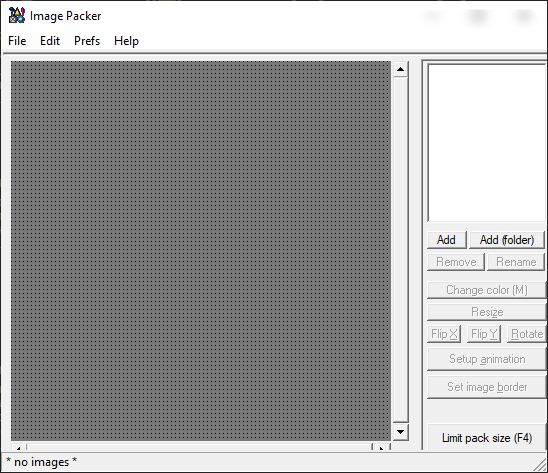
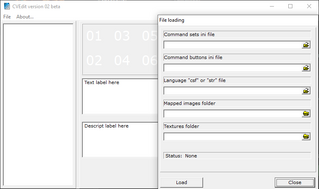
Image Packer v1.05b - программа, позволяющая создавать камеосы и управляющие INI-файлы к ним.
Обновление 18/10/2004
*** IMPORTANT CHANGES ***
This update contains a few changes to the way
SpriteMaster Pro handles text.
SpriteMaster Pro handles text.
First, the changes:
Replaced: LoadFontSet() with CreateTextSprite()
Replaced: SpriteText with AddText
New command: ClearText
Replaced: SpriteText with AddText
New command: ClearText
You can now add text to an existing 'text' sprite
supplying coordinates just like the standard Blitz
Text command. Quick comparison:
supplying coordinates just like the standard Blitz
Text command. Quick comparison:
Text 10,10,"Boo" <- Blitz
AddText txtsprite,10,10,"Boo <- smPro
AddText txtsprite,10,10,"Boo <- smPro
You can also specify color/alpha each time you add
a line of text (or a single character):
a line of text (or a single character):
AddText 10,10,"I am RED" , 255,0,0
AddText 10,40,"I am GREEN" , 0,255,0
AddText 20,70,"Half Alpha'd" , 255,255,255 , 0.5
AddText 10,40,"I am GREEN" , 0,255,0
AddText 20,70,"Half Alpha'd" , 255,255,255 , 0.5
You can also use Chr$(13) or Chr$(10) to do a line
feed as before.
feed as before.
To create a special 'text' sprite use CreateTextSprite()
Here, a the text sprite is created using MYFONTPACK.PNG
font set for the characters:
Here, a the text sprite is created using MYFONTPACK.PNG
font set for the characters:
textsprite.smSprite=CreateTextSprite("myfontpack.png")
You can supply an optional 'charoffset' parameter which
tells SpriteMaster where in the pack the ! exclamation
character starts. This is needed for instance when the
font set starts with a SPACE. smPro always uses ! as the
base starting character.
tells SpriteMaster where in the pack the ! exclamation
character starts. This is needed for instance when the
font set starts with a SPACE. smPro always uses ! as the
base starting character.
See the Text demos supplied with the zip.
===================================================
Function
CreateTextSprite()
Params
fontsetfilename - filename of fontset to load
[charoffset] - optional character offset pointing to !
Description
Creates a special single-surface 'text' sprite.
The font set is obtained from the fontpack loaded
Example
textsprite.smSprite=CreateTextSprite("myfontpack.png",1)
AddText textsprite,10,10,"Hello"
===================================================
Function
CreateTextSprite()
Params
fontsetfilename - filename of fontset to load
[charoffset] - optional character offset pointing to !
Description
Creates a special single-surface 'text' sprite.
The font set is obtained from the fontpack loaded
Example
textsprite.smSprite=CreateTextSprite("myfontpack.png",1)
AddText textsprite,10,10,"Hello"
===================================================
===================================================
Command
AddText
Params
x - x position on screen for text string
y - y position on screen for text string
text$ - text string to add
[r] - red color of text (0 to 255)
[g] - optional green color of text (0 to 255) Default = 255
[b] - optional blue color of text (0 to 255) Default = 255
[a] - optional alpha value of text (0.0 to 1.0) Default = 1.0
Description
Adds text to an previously created 'text' sprite
Example
textsprite.smSprite=CreateTextSprite("myfontpack.png",1)
AddText textsprite,5,50,"SpriteMaster" , 200,100,20
===================================================
Command
AddText
Params
x - x position on screen for text string
y - y position on screen for text string
text$ - text string to add
[r] - red color of text (0 to 255)
[g] - optional green color of text (0 to 255) Default = 255
[b] - optional blue color of text (0 to 255) Default = 255
[a] - optional alpha value of text (0.0 to 1.0) Default = 1.0
Description
Adds text to an previously created 'text' sprite
Example
textsprite.smSprite=CreateTextSprite("myfontpack.png",1)
AddText textsprite,5,50,"SpriteMaster" , 200,100,20
===================================================
===================================================
Command
ClearText
Params
textsprite
Descpription
Clears the text from an existing sprite
Example
textsprite.smSprite=CreateTextSprite("myfontpack.png",1)
AddText textsprite,15,40,"Remove me"
ClearText textsprite
Command
ClearText
Params
textsprite
Descpription
Clears the text from an existing sprite
Example
textsprite.smSprite=CreateTextSprite("myfontpack.png",1)
AddText textsprite,15,40,"Remove me"
ClearText textsprite